

This article is NOT generated by LLMs or AI tools.
To kick off my new “All Things Graph” series 😊 I had so many topics that it was quite hard to choose where to start, but in the end, I thought what topic better than something related to good old RDF and graph databases created for dealing with RDFs. Apache Jena is one of my all-time favorite graph databases. Especially using its Fuseki server makes deploying a backend for your graph applications a cakewalk. However, one thing that has always been missing from it was “semantic” search (also known as vector search, which also helps avoid confusion with semantic reasoning as it relates to graphs). With the advent of LLMs and RAG (Retrieval Augmented Generation), having more powerful search systems, especially hybrid search has become a crucial decision factor for choosing the right storage and retrieval system. So, in this post, I will walk you through what hybrid search is and how I enabled Apache Jena to provide me with a hybrid search interface for my RAG applications.
Let’s start by covering a few basic concepts, and then dive right into the action
What is Hybrid Search?
Hybrid search is a search approach that combines two different ways of finding relevant results: lexical search, which matches exact words, phrases, and token patterns, and semantic or vector search, which matches meaning based on embeddings. In general, the goal is to get the strengths of both at once: lexical search is precise and good for exact terms, names, and filters, while semantic search is better at finding conceptually similar content even when the wording differs. A hybrid system typically runs both searches in parallel and then merges or reranks the results using a scoring method such as weighted blending or rank fusion, so the final results are both keyword-aware and meaning-aware.
What is SPARQL?
SPARQL is the standard query language for RDF data. It is used to read and update graph-shaped data made of triples: a subject, a predicate, and an object. SPARQL is huge topic of its own and you can look up other graph query languages (such as Gremlin or openCypher) for a comparison and deeper understanding so we’ll suffice with a couple of simple examples.
Simple Insert Query
This example adds two resources and their labels:
PREFIX ex:   <http://example.org/>
PREFIX rdfs: <http://www.w3.org/2000/01/rdf-schema#>

INSERT DATA {
  ex:item1 rdfs:label "Red bicycle" .
  ex:item2 rdfs:label "Blue helmet" .
}
Simple Select Query
This example retrieves resources and their labels:
PREFIX rdfs: <http://www.w3.org/2000/01/rdf-schema#>

SELECT ?s ?label {
  ?s rdfs:label ?label .
}
ORDER BY ?label
Apache Jena And Fuseki
Apache Jena is a Java framework for working with RDF data, ontologies, and SPARQL. It provides libraries for building Semantic Web applications and for storing, querying, and updating graph data. Fuseki is Jena’s SPARQL server: it exposes datasets over HTTP so users and applications can run SPARQL queries and updates through a web UI or API.
By default, Apache Jena and Fuseki do not include vector search. Their built-in search-oriented capability is traditional full-text search through jena-text, which supports keyword-based lookup over indexed RDF content. That works well for exact terms and textual matching, but it does not provide embedding-based semantic similarity search out of the box.
So, now we turn to the main topic of this post, which is Semantic SPARQL. A fork of Apache Jena with semantic/vector search and hybrid search capabilities.
Semantic SPARQL
You can find the link to the public repository for Semantic SPARQL below:
https://github.com/amin-ahmadi-com/semantic-sparql
This repository is a fork of Jena that adds those missing capabilities mentioned above. It introduces vector search through jena-vector, allowing semantic search over embedded RDF literals, and it also adds hybrid search that combines full-text and vector results. The hybrid layer uses Reciprocal Rank Fusion (RRF), a rank-fusion method that merges the text and vector result lists into a single score so results can benefit from both exact term matching and semantic similarity.
I won’t go deep into what RFF is but you can search online for more information about this simple yet elegant algorithm that lets you combine results from different search types. And you will find that many of the top tier search systems out there use this exact same agorithm in one form or another.
Getting Started
Let’s start with requirements:
- Java 17 or newer
- Maven 3.9+
- Ollama installed and running (we use ollama for simplicity, you can adjust the instructions below if you use a different embeddings provider)
- The Ollama embedding model
nomic-embed-text
1. Build Fuseki With Hybrid Search Support
From the repository root, run:
mvn -pl :jena-fuseki-server -am -Pdev,ui-skip-tests -DskipTests -Dmaven.javadoc.skip=true package
The server jar will be at:
jena-fuseki2/jena-fuseki-server/target/jena-fuseki-server-6.2.0-SNAPSHOT.jar
2. Start Ollama
Pull the embedding model:
ollama pull nomic-embed-text
Ollama should expose embeddings at:
http://localhost:11434/v1/embeddings
3. Create A Hybrid Fuseki Config
Create a file named hybrid-fuseki.ttl with this content:
PREFIX :       <#>
PREFIX fuseki: <http://jena.apache.org/fuseki#>
PREFIX rdf:    <http://www.w3.org/1999/02/22-rdf-syntax-ns#>
PREFIX rdfs:   <http://www.w3.org/2000/01/rdf-schema#>
PREFIX tdb2:   <http://jena.apache.org/2016/tdb#>
PREFIX text:   <http://jena.apache.org/text#>
PREFIX vector: <http://jena.apache.org/vector#>

[] rdf:type fuseki:Server ;
   fuseki:services ( :service ) .

:service rdf:type fuseki:Service ;
    fuseki:name "hybrid" ;
    fuseki:endpoint [ fuseki:operation fuseki:query ; ] ;
    fuseki:endpoint [ fuseki:operation fuseki:update ; ] ;
    fuseki:endpoint [ fuseki:operation fuseki:gsp-rw ; ] ;
    fuseki:endpoint [ fuseki:operation fuseki:query ; fuseki:name "sparql" ] ;
    fuseki:endpoint [ fuseki:operation fuseki:update ; fuseki:name "update" ] ;
    fuseki:endpoint [ fuseki:operation fuseki:gsp-rw ; fuseki:name "data" ] ;
    fuseki:dataset :hybridDataset .

:hybridDataset rdf:type vector:VectorDataset ;
    vector:dataset :textDataset ;
    vector:index :vectorIndex .

:textDataset rdf:type text:TextDataset ;
    text:dataset :baseDataset ;
    text:index :textIndex .

:baseDataset rdf:type tdb2:DatasetTDB ;
    tdb2:location "databases/hybrid-tdb2" .

:textIndex rdf:type text:TextIndexLucene ;
    text:directory "databases/hybrid-text-lucene" ;
    text:entityMap :textEntityMap .

:textEntityMap rdf:type text:EntityMap ;
    text:entityField "uri" ;
    text:defaultField "contents" ;
    text:map (
      [ text:field "contents" ; text:predicate rdfs:label ]
    ) .

:vectorIndex rdf:type vector:VectorIndexLucene ;
    vector:directory "databases/hybrid-vector-lucene" ;
    vector:dimension 768 ;
    vector:similarity vector:cosine ;
    vector:textPredicate rdfs:label ;
    vector:embeddingProvider :ollamaEmbeddings .

:ollamaEmbeddings rdf:type vector:OpenAICompatibleEmbeddings ;
    vector:endpoint "http://localhost:11434/v1" ;
    vector:model "nomic-embed-text" ;
    vector:batchSize 8 .
4. Run Fuseki
java -jar jena-fuseki2/jena-fuseki-server/target/jena-fuseki-server-6.2.0-SNAPSHOT.jar --conf hybrid-fuseki.ttl
This stores RDF data in databases/hybrid-tdb2 and stores the Lucene text and vector indexes on disk.
Open:
http://localhost:3030/
Use dataset:
/hybrid
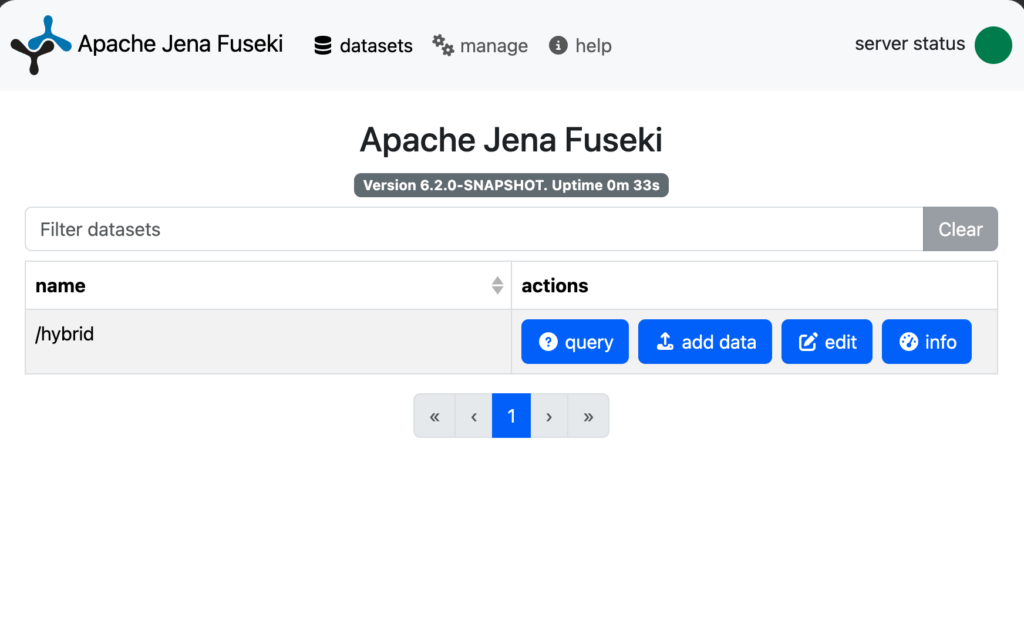
You should be able to see something like this in Fuseki UI:
5. Insert Sample Data
Create a data.ttl file and paste the following in it:
PREFIX rdfs: <http://www.w3.org/2000/01/rdf-schema#>
PREFIX ex:   <http://example.org/resource/>

ex:item1 rdfs:label "Apache Jena is a Java framework for RDF and SPARQL." .
ex:item2 rdfs:label "Ollama runs local language and embedding models." .
ex:item3 rdfs:label "A bicycle is a human-powered vehicle with two wheels." .
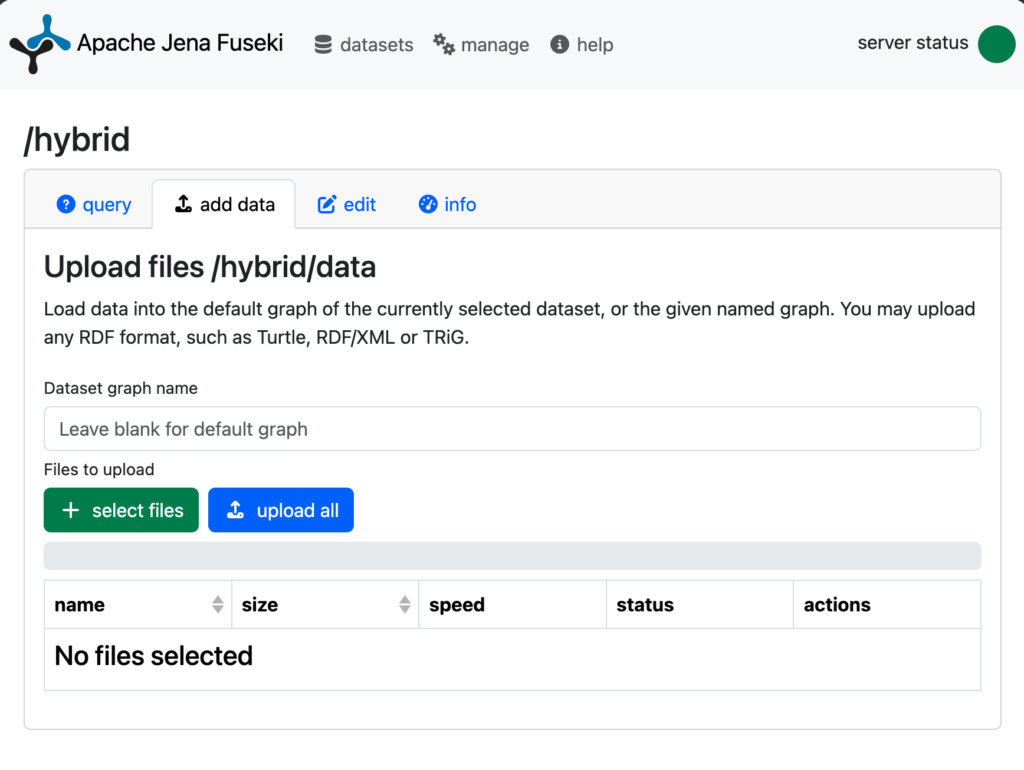
Now go to the upload page and select that file and upload it to the graph.
6. Run A Full-Text Query
Go to query page and run this query. It simply retrieves entries with the given word detected in them:
PREFIX text: <http://jena.apache.org/text#>
PREFIX rdfs: <http://www.w3.org/2000/01/rdf-schema#>

SELECT ?s ?label {
  ?s text:query (rdfs:label "framework" 10) ;
     rdfs:label ?label .
}
7. Run A Vector Query
Try a semantic search (vector search) and you should see the result matching semantically, even though the words are not exactly detected.
PREFIX vector: <http://jena.apache.org/vector#>
PREFIX rdfs:   <http://www.w3.org/2000/01/rdf-schema#>

SELECT ?s ?label ?score {
  (?s ?score) vector:query ("something to ride around town" 10) .
  ?s rdfs:label ?label .
}
ORDER BY DESC(?score)
8. Run A Hybrid Query
And finally, try a hybrid one:
PREFIX hybrid: <http://jena.apache.org/hybrid#>
PREFIX rdfs:   <http://www.w3.org/2000/01/rdf-schema#>

SELECT ?s ?label ?score ?textRank ?vectorRank {
  (?s ?score ?textRank ?vectorRank) hybrid:query (rdfs:label "NLP related systems" 10) .
  ?s rdfs:label ?label .
}
ORDER BY DESC(?score)
Hope you enjoyed 😊 Good luck building!