WikiData Graph and Graphist Flutter Package

This article is NOT generated by LLMs or AI tools.

Have you ever wondered how different concepts across the vast expanse of human knowledge are connected? For instance, what is the shortest path between a biological concept like COVID-19 and a medical condition like lung cancer? The answer isn’t found in a linear list or a traditional table, but in a graph. Quite a while ago, I worked on WikiData Graph, an application that visualizes these connections using a toolset I’ve developed called Graphist. In this post, I want to take you through the program itself, the architecture behind it, and how Graphist makes it possible to bring graph-based data to life within a Flutter application.

Read more: WikiData Graph and Graphist Flutter Package


The Project: WikiData Graph

WikiData is essentially the structured backbone of Wikipedia. While Wikipedia gives us the narrative, WikiData provides the entities (nodes) and the relationships (edges). Creating a tool that can traverse this knowledge graph allows us to uncover non-obvious links between disparate topics.

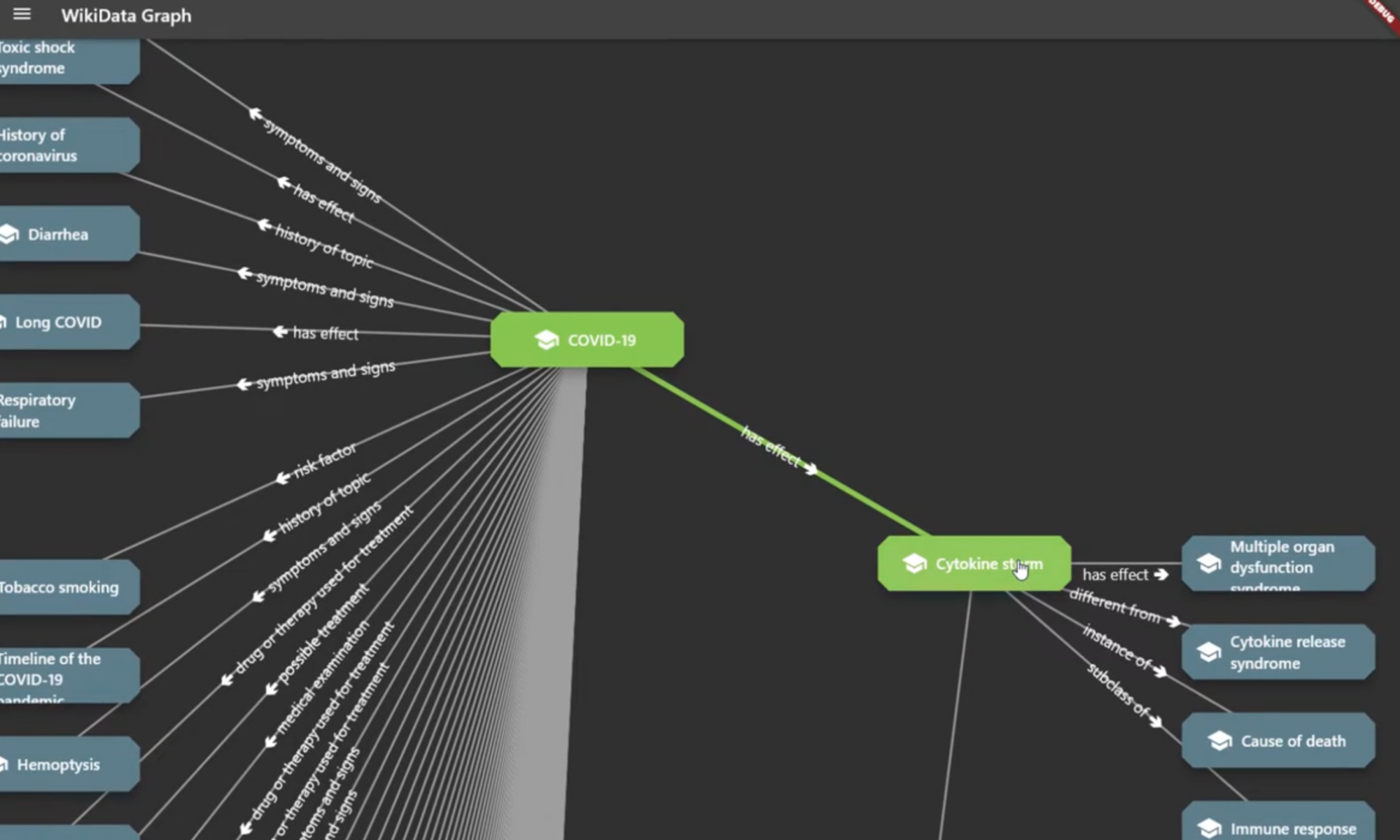
The WikiData Graph app serves as a practical demonstration of this. It allows users to input entities and visually explore how they are linked through a series of relations. For example, if you start with “COVID-19”, the app can query WikiData to find related entities—perhaps “SARS-CoV-2” or “Respiratory System”—and then further expand those nodes to eventually reach “Lung Cancer”.

The result is an interactive web of knowledge where every node is a gateway to more information, and every edge tells a story about how two things are connected.

The Engine: Graphist

Building a graph visualization tool from scratch in Flutter can be daunting. You have to handle the state of nodes, manage the connections between them, and ensure that the UI remains responsive even when the graph grows. This is why I created Graphist.

What is Graphist?

graphist is a Flutter package designed to add graph capabilities to any application. Instead of forcing you into a specific data model, it provides a flexible framework to represent data as Nodes and Relations.

The Core Concepts

At the heart of Graphist are three primary elements:

  1. The Node: A representation of an entity. It contains properties (like name, description, or a URL) and visual metadata (like icons).
  2. The Relation: A typed link between two nodes. Relations aren’t just lines; they carry their own properties, allowing you to describe how two entities are connected (e.g., “is-a”, “part-of”, or “caused-by”).
  3. The Graph: An abstract interface that manages the collection of nodes and relations.


Implementation Flexibility

One of the key design goals for Graphist was implementation agnosticism. Depending on your dataset, you might need different storage backends:

  • InMemoryGraph: Perfect for small to medium datasets where speed is critical and persistence isn’t required across sessions.
  • SqliteGraph: For larger datasets that need to be persisted locally on the device without loading everything into RAM. (this one is still experimental, but I’ll work on it more and share it here when I get a bit more free time)

By using an abstract Graph class, the rest of your application doesn’t care whether your data is sitting in a Dart list or a SQLite database; it simply asks for nodes and relations.

Bridging the Gap: graphist_wiki_data

While Graphist provides the “how” (the visualization and management), we still needed the “what” (the actual WikiData API integration). This is where graphist_wiki_data comes in.

This companion package acts as the translation layer between the Sparseq/JSON responses of the WikiData API and the structured Node and Relation objects that Graphist understands. It handles:

  • API Querying: Fetching entities and their properties from WikiData.
  • Mapping: Converting WikiData Q-identifiers into human-readable nodes.
  • Expansion: Dynamically fetching neighbors of a node to expand the graph in real-time.


Putting it All Together: The Workflow

When you use the WikiData Graph app, the flow looks something like this:

  1. Request: The user searches for an entity.
  2. Fetchgraphist_wiki_data queries the WikiData API.
  3. Translate: The raw API data is converted into Graphist Node and Relation objects.
  4. Inject: These objects are added to the active Graph instance.
  5. Render: The GraphWidget detects the change in state and renders the new nodes and edges on the screen.

This modularity is what makes the system powerful. If I wanted to build a “File System Graph” (which I actually did!), I wouldn’t need to touch the rendering logic or the core graph management; I would simply create a graphist_file_system package to map folders and files into nodes and relations.

Here is a demo video of it in action:

Final Thoughts

The beauty of graph-based data is that it mirrors how human memory works—through association. By combining the flexibility of Flutter with the structured approach of Graphist, we can move away from rigid tables and lists toward a more organic way of exploring information.

Whether you are building a knowledge base, a social network analysis tool, or a project management map, Graphist provides the primitives needed to get started without reinventing the wheel.

If you’re interested in diving deeper into graph implementations or want to try out the WikiData Graph demo, feel free to check out the repositories on GitHub!

Below is the list of repositories discussed in this post, and the flutter packages. In addition to WikiData, I have implemented a few more that I’m sharing here in hope it might be useful, especially as examples so you can build your own graph visualisations of exsisting data structures:

https://github.com/amin-ahmadi-com/graphist (The core library providing the graph capabilities and widgets.)

https://github.com/amin-ahmadi-com/graphist_wiki_data (WikiData implementation for Graphist)

https://github.com/amin-ahmadi-com/wiki_data_graph (This is the app discussed here. You can build and run it on Win/macOS/Linux)

https://github.com/amin-ahmadi-com/graphist_file_system (File System implementation for Graphist)

https://github.com/amin-ahmadi-com/file_system_graph (Another example: File System Graph Visualiser)

https://pub.dev/publishers/amin-ahmadi.com/packages (My pub.dev publisher account where all of the libraries can be found)


Hybrid Search for SPARQL with Apache Jena and Fuseki

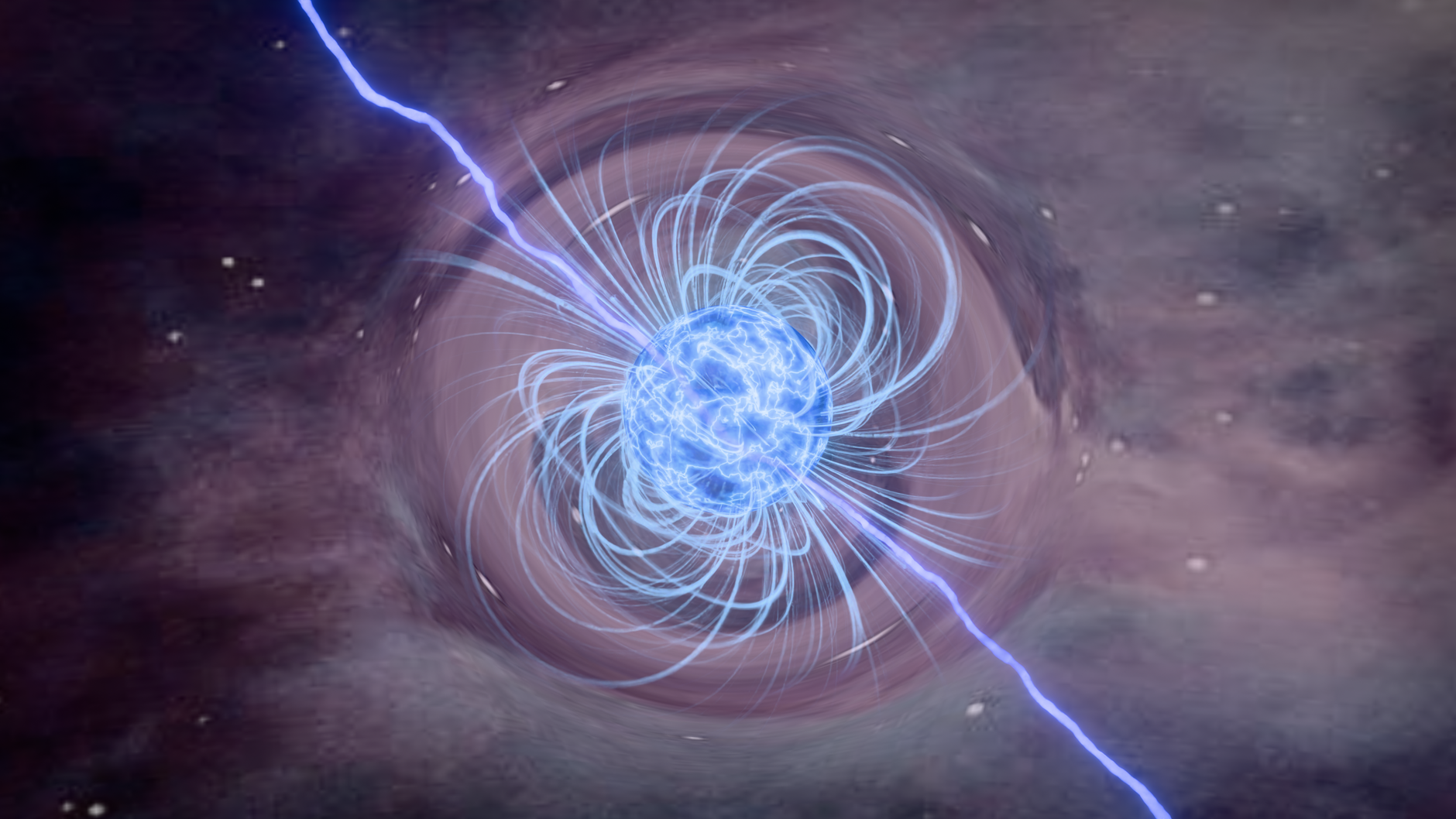
illustration of a neutron star s magnetic field

This article is NOT generated by LLMs or AI tools.

To kick off my new “All Things Graph” series 😊 I had so many topics that it was quite hard to choose where to start, but in the end, I thought what topic better than something related to good old RDF and graph databases created for dealing with RDFs. Apache Jena is one of my all-time favorite graph databases. Especially using its Fuseki server makes deploying a backend for your graph applications a cakewalk. However, one thing that has always been missing from it was “semantic” search (also known as vector search, which also helps avoid confusion with semantic reasoning as it relates to graphs). With the advent of LLMs and RAG (Retrieval Augmented Generation), having more powerful search systems, especially hybrid search has become a crucial decision factor for choosing the right storage and retrieval system. So, in this post, I will walk you through what hybrid search is and how I enabled Apache Jena to provide me with a hybrid search interface for my RAG applications.

Continue reading “Hybrid Search for SPARQL with Apache Jena and Fuseki”

Introducing Graph Series

green grass field with trees

This article is NOT generated by LLMs or AI tools.

Years ago, when I first read The Master and His Emissary by Iain McGilchrist, I wasn’t expecting it to totally reshape my thinking about how we define data, how we store it, how we retrieve and query it and so on. Perhaps I had forgotten that I was (still am) a software engineer. After all I have been taking all my learnings from arts, sports, and other non engineering fields to engineering and benefitting from this knowledge transfer across domains quite a bit. This was a time when I had already published a couple of books and had worked on a few others as technical reviewer/editor and my blogging days were seemingly coming to an end. Not to mention my private life was also getting busier and busier, so there was not much time to blog either. For this and many other reasons, I wasn’t really getting enough time to blog about how my thinking about data was changed and share my learnings. Which brings me to the title of this post, and graphs in general.

Continue reading “Introducing Graph Series”

Blogging in the Age of LLMs (fodder for token generators?)

This is not my usual type of blog post. It’s more of a reflection on where this blog and all blogs like mine belong. Especially in the age of instant “content creation” using LLMs. To give you the context, for years I kept writing blog posts here. Initially just simple notes for myself about the solutions for issues I faced while I was trying to build something. These were the kind of issues I couldn’t find any resources about (back then). But then I realised it’s starting to be useful for other people as well, since the issues I faced were pretty common ones. I was probably captured by blogging and SEO rules for some time as well in the early days, but I’d like to think I ditched those rules pretty quickly and kept on writing in my own style and language (simple language). This blog eventually led me to land a couple of book deals, and I became a published author sometime around 2017, 2018. Things were good, but over time life presented some challenges (as it usually does) and my blogging turned into more of an occasional habit.

Which brings me to this post. After I found some time to keep writing consistently again, I realised it’s 2025 and no one really reads blogs anymore (at least most that I know, don’t). Even the ones that do, would love a summary by LLMs. I realised LLMs have almost already replaced us bloggers and anything we write is simply part of some LLM response, mixed and mashed together with whatever else is “in there”. In a somewhat dark turn of events, we have simply turned into fodder for training mindless token generators. But such is the way technology moves. Forward! As long as the clock ticks away in the direction it always has, technology will also keep moving forward. Also, a full disclosure: I am considered an LLM expert these days (I didn’t ask for it). And this is not a post to bash LLMs. LLMs are here to stay and they are quite useful. For many things. Lots of things. Which brings me to the final point below.

I’m starting to see that this whole “AI revolution” will make these posts and blogs like this even more precious. Every letter, word and sentence you read on whatever screen you read it now is typed on a keyboard, by a human (allegedly human 🙃) And that is what I love about what LLMs have exposed to us, in us. Why do we do it? Why do we write? We do we do seemingly many other mundane tasks that can be easily automated by LLMs (some sooner than later, but eventually almost any task). I know have my answer as a blogger, which means I WILL keep writing. But you’ll need to think about your own answer. Why do you do it?

IMPORTANT NOTE: Although I am always grateful for what LLMs help me achieve in other daily tasks, they were NOT used to generate, edit or review this post in any way shape or form.

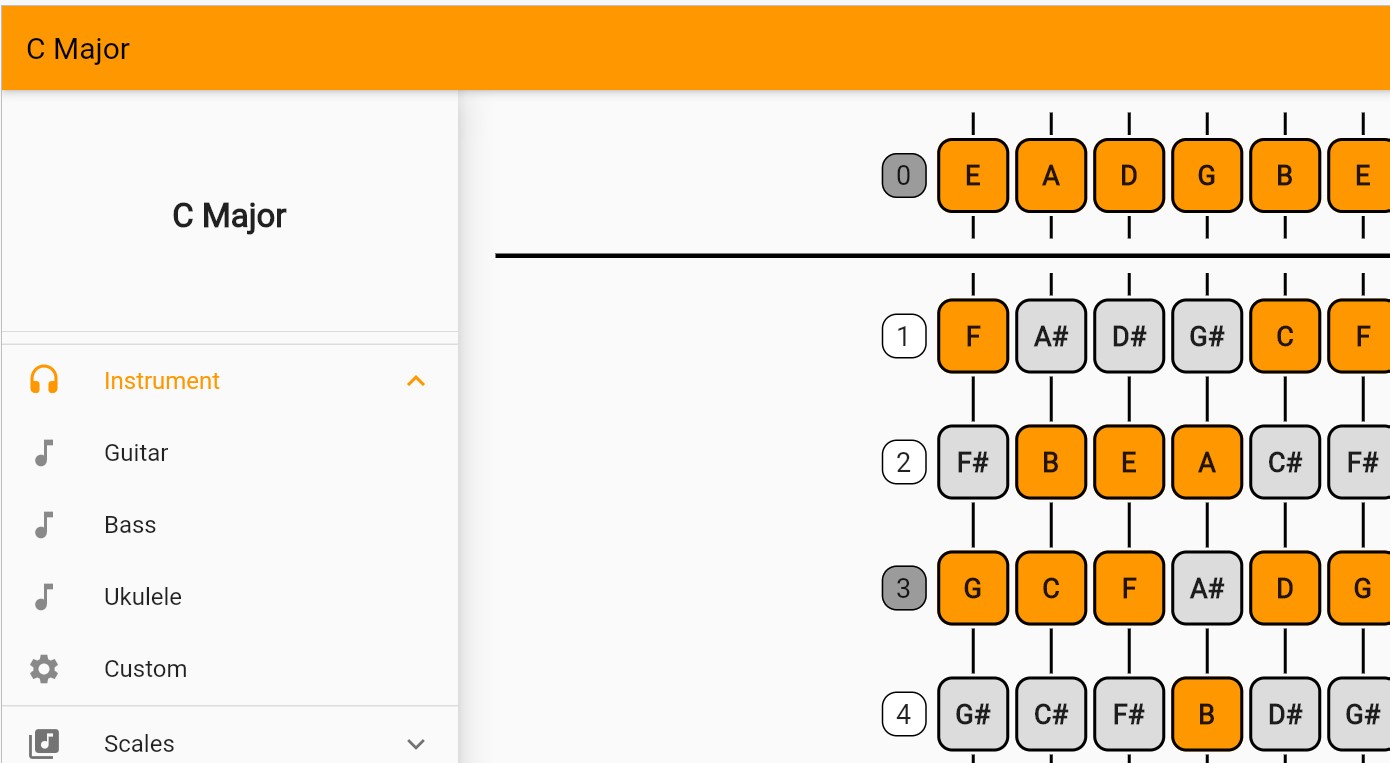
Scalebook, a scale dictionary for guitar, bass and uke

In this post, I’m sharing an app that I have been using personally for a long time but never had the time to take care of publishing it and then sharing it with the world. It’s a simple musical scales dictionary for guitar, bass and ukulele. Using it as simple as choosing the instrument, the scale and that’s it. So, without further ado, here is Scalebook.

Continue reading “Scalebook, a scale dictionary for guitar, bass and uke”

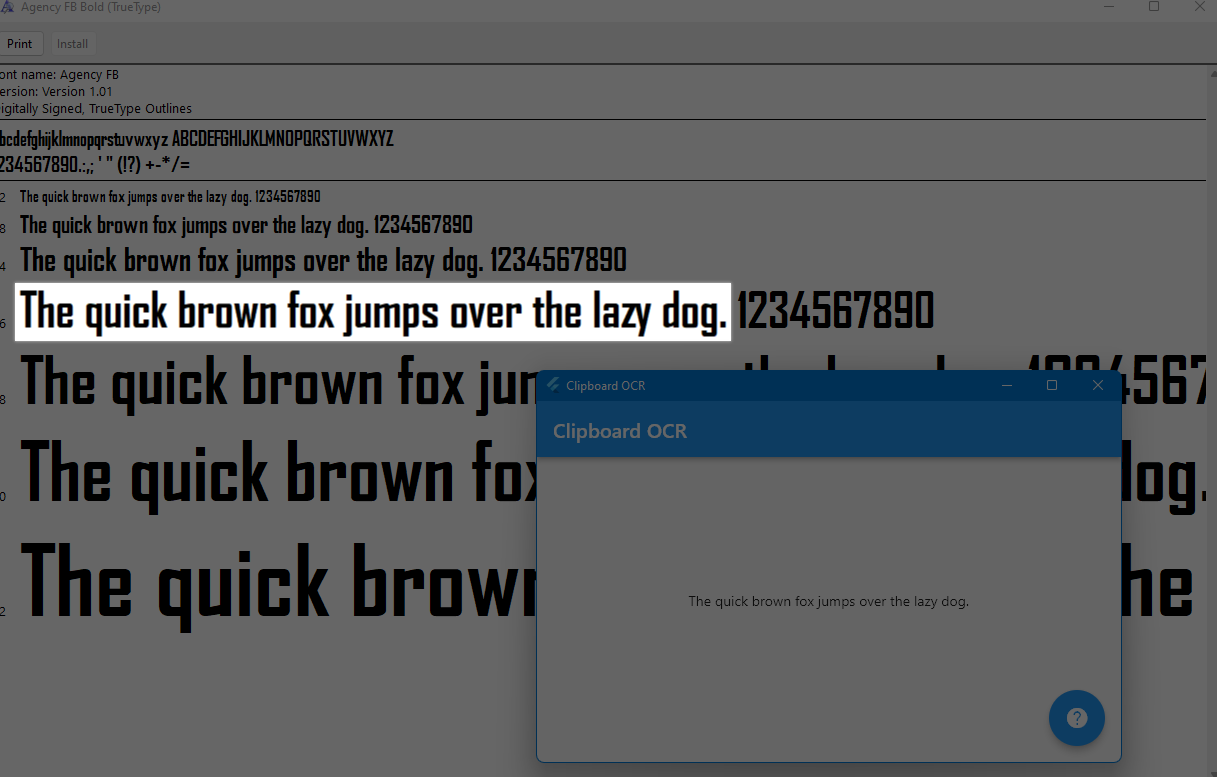
Clipboard OCR, a tiny utility for Microsoft Surface users

If you are a Microsoft Surface user like me, and at the same time watch videos, presentations, study and take lots of notes, then you have probably wondered why Snipping Tool in Microsoft Windows doesn’t support extracting text from images or in other words, OCR (Optical Character Recognition).

Well, I asked the same question many times over and then stopped asking and created a simple app that does the job for me! That is the topic of this post, so keep reading if you are interested.

Continue reading “Clipboard OCR, a tiny utility for Microsoft Surface users”

Introducing Flython, a way to use Python in Flutter

It’s actually been quite some time since I’ve made a shift to using Python and in general languages and tools that offer a shorter way to test out ideas. But recently I’ve started doing that in a more structured and hopefully sustainable way, that not only is good for extremely fast prototyping, but also for building stable and trustworthy software applications that might (must?) run for a long time. So, to let you in on the trick, in this post, I am going to introduce you to Flython, a library that will help you create applications that use the best of the two worlds of Flutter (Dart) and Python.

Continue reading “Introducing Flython, a way to use Python in Flutter”

How to Build OpenCV 3.4.11 for Native Android Development Using PowerShell (Windows)

One in a while I start working on an Android app with computer vision capabilities and obviously I need OpenCV for that. However, I’m not surprised that every time (or most of the time to be fair) there’s some change in the way OpenCV is built which renders my build scripts useless, or buggy at least. This is understandable because of the nature of OpenCV library and the fact that it is trying to keep up with many new features and fixes and so on. In any case, this post is a reminder of all of the things I just mentioned and a guide to help you build OpenCV for Native Android development, and especially in Qt Framework which I’ll describe in a separate post soon.

Continue reading “How to Build OpenCV 3.4.11 for Native Android Development Using PowerShell (Windows)”

Computer Vision Docker Image with TensorFlow and OpenCV, From Scratch

After publishing this post some time ago which was a tutorial on how to create a Computer Vision Docker image using OpenCV and TensorFlow, I got many questions from people about the issues they’re facing when they try to use it. If you think something of a similar nature happened to you, then this post is meant for you.

Continue reading “Computer Vision Docker Image with TensorFlow and OpenCV, From Scratch”