In this article I am going to describe how to get the title of the window which has the focus, or in other word is currently active. To be able to achieve this in Qt/C++ you need to use the operating system API functions, in this case Win32 API.
Continue reading “How to Get the Topmost Window Title using Qt/C++ (for Windows)”How to Boot Into Graphical User Interface in CentOS 7
After installing CentOS 7 you will be forced to enter startx command to go into GUI (Gnome Desktop) mode each time you boot into the system. To overcome this you have to set the default boot option using the following commands:
Continue reading “How to Boot Into Graphical User Interface in CentOS 7”How to Install Graphical Interface for CentOS 7
After installing CentOS 7 you need to execute the following commands in order to install Gnome, or in other words have GUI mode of CentOS.
sudo yum groupinstall "Gnome Desktop"
startx
How to Make Your Window Stay on Top in Qt
You can use the following snippet to make your MainWindow or any other window always on top:
setWindowFlags(windowFlags() | Qt::WindowStaysOnTopHint);
Just insert it in your window’s constructor function.
How to Access Android Camera Using Qt/C++
In this article I am going to describe the required steps needed for accessing Android Camera (or Default Camera Interface) using Qt. Unfortunately OpenCV does not provide a reliable way of connecting to Camera in Android so you have go for a method like this if you intend to write an Android application which uses OpenCV and Qt together. I strongly recommend that you should first read this article (which describes how to access Android Gallery from Qt) and also this article (which shows how to mix Java and C++ code in Qt) and then return here because I will be assuming that you are familiar with those processes. So if you can already access Android Gallery using Qt then continue reading the steps described below.
Continue reading “How to Access Android Camera Using Qt/C++”How to Extract URLs from a Website
Before going any further, note that this method only works if you have the Sitemap XML file. If that is the case then continue reading for a quick, free and easy method to extract URLs from a website.
Continue reading “How to Extract URLs from a Website”URList v1.0 for Windows

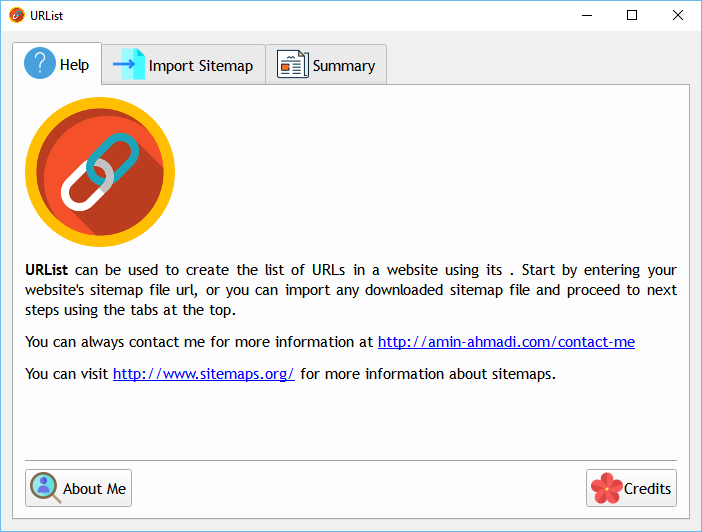
URList is free application written for Windows which allows you to export URLs from a Sitemap file which is located on the web or is downloaded to your computer.
Continue reading “URList v1.0 for Windows”Quick Way to Find the Sum or Average of All Elements in QByteArray
There are scenarios where you would need to find the sum or the average of all values in a QByteArray. This can specially happen if you are trying to send data using COM ports to devices that require the average or sum (or a similar combination) of all elements in order to check the integrity of data.
Continue reading “Quick Way to Find the Sum or Average of All Elements in QByteArray”How to Convert Data to/from Base64 in Qt
Qt Framework implements many convenience functions inside QByteArray for quickly handling of raw data. One of the widely used encoding methods is Base64 and if you’re with Qt, you can easily convert any string (QString) to/from Base64.
Continue reading “How to Convert Data to/from Base64 in Qt”How to Convert QBuffer to QString
You can convert QBuffer to QString using buffer function of the QBuffer. Here is how you can do it.
QBuffer b;
b.open(QBuffer::ReadWrite);
b.write("http://amin-ahmadi.com");
QString str = b.buffer();
qDebug() << str; // "http://amin-ahmadi.com"
b.close();