If you’re a regular Qt user (like me) and have tried writing Android applications with Qt then you must have come across situations where you’ve needed some very simple capabilities of Android API but it wasn’t present in the Qt library. Displaying a Toast message in Qt for Android is one of those situations. In this post I’m going to describe how to display Toast messages in Qt for Android, and it’s also a very good example of showing how to use JNI (QAndroidJniObject class in Qt, along with Java code) to access Java code from within C++/Qt code.
Continue reading “How to Show a Toast Message in Qt for Android”Meleğim
Bu iki beyti yine yazmalıyımdır meleğim
Nefesi sözlere aktarmalıyımdır meleğim
Bu işin kürdü de yok, türkü de yok
Arap, acem, hepsi yalandır meleğim
Bu yalanlarla bizi hep ayırırlar
Seni benden, beni senden meleğim
Bizi düşman kılıp asude olurlar
Ama her şey, sonu vardır meleğim
Bu dövüşler, bu savaşlar, bu ölümler
Bir sabah uyandığında bitecektir meleğim
Geriye toz bile kalmaz göreceksin
İzleyen sen olacaksın meleğim
Ne olursak olalım, bu can emanet
Vereni bizleri hep izleyecektir meleğim
Best Way to Train and Test Haar or LBP Classifiers
You can use Cascade Trainer GUI to easily train and test your cascade classifiers. It has a very simple user interface which helps with everything related to training cascade classifier that are usable with OpenCV. Starting from preparing the positive and negative image data set, its cropper tool will help you with quickly preparing your training data set. Just make sure you have enough videos of the object you want to train a classifier for, and detect. It also allows avoiding all the complexities of setting parameters for the training. Of course if you want a very high quality classifier, then you’d have to touch a few parameters here and there but for the most part, it’s select and Go.
You can use the Train tab to train a classifier, and then use the Test tab to test it on a video or image. And switch between them as long as you’re not satisfied with your classifier’s performance.
You can always download the latest version of Cascade Trainer GUI from its official website, or by clicking here:
And make sure to report any bugs and missing features using the Contact Me page:
Picture Stamper version 2.8.0 adds opacity support for logo and watermark
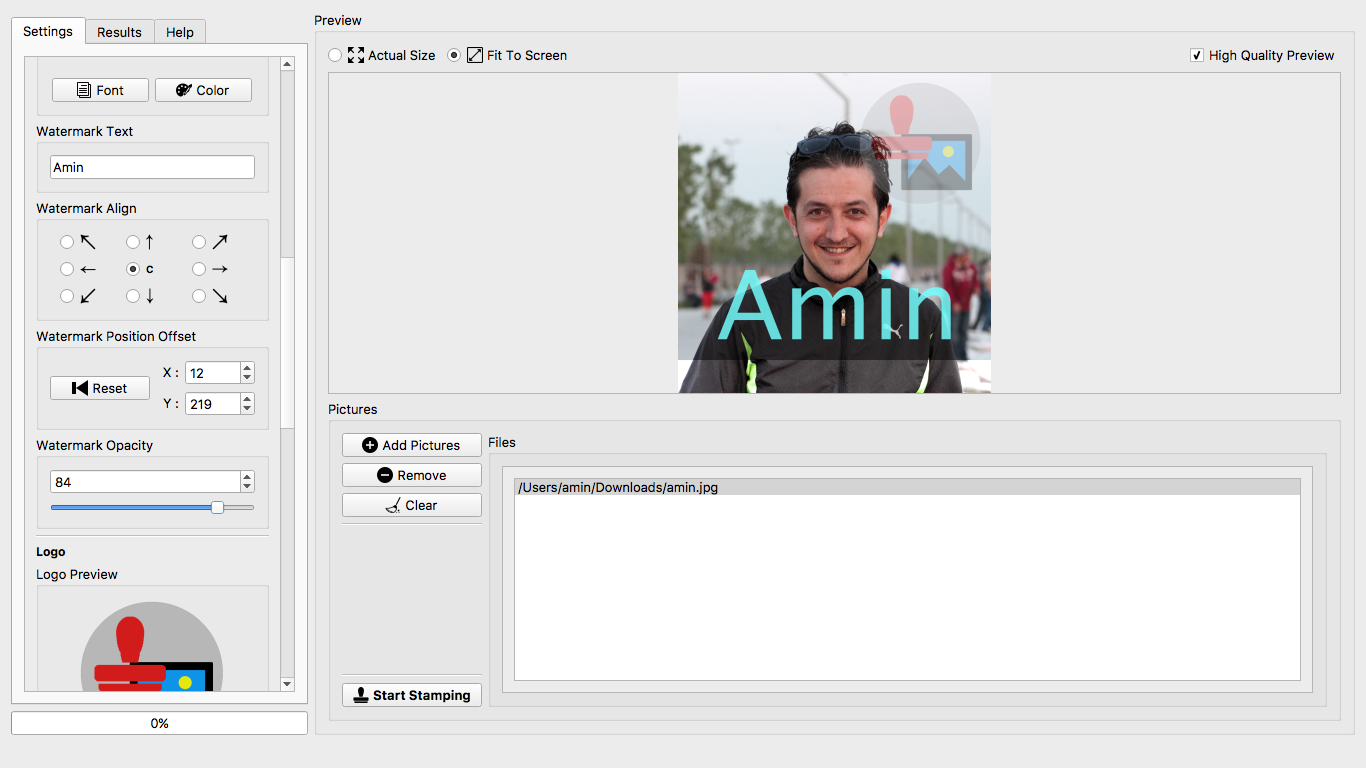
Today I released a new version of Picture Stamper after quite a while. This version addresses a few minor issues in the user interface and also as of this version (v2.8.0) you can also set an opacity level for Logo and/or Watermark text that you add to the images. Pretty much everything else is the same, but you can find out for yourself if you head to official Picture Stamper page.
Art de Amin Gallery (Part 3)
Art de Amin Gallery (Part 2)
Art de Amin Gallery (Part 1)
How to Get Current App Version in Qt
I have tried numerous methods to get an application’s own version number and believe me this is the best way to get it. First of all if we consider the fact that setting a Qt application version is done in PRO file (qmake) using the following simple command:
VERSION = 1.2.3.4
Then getting this same value should be the easiest possible method.
Just add the following line to your PRO file after defining version as seen above and you can use the same version string wherever you like in the code:
DEFINES += APP_VERSION=\\\"$$VERSION\\\"
APP_VERSION will contain the string “1.2.3.4” and can be used in the C++ code.
Qt Creator Issue on Mac OS X Fix (xcodebuild issue with Xcode 8.0)
When using Qt creator following error starts rising up when Xcode gets updated to version 8.0 and it’s because of a change that is not yet applied in Qt settings. In my case it happened with Qt 5.7 and Xcode 8.0 on Mac OS X El Capitan but I think it’s safe to assume similar issues will start rising up with other kits too. Here is how I fixed it.
Continue reading “Qt Creator Issue on Mac OS X Fix (xcodebuild issue with Xcode 8.0)”List of Image Formats Supported by OpenCV
Below is the list of supported image formats in OpenCV. You should note that if you build OpenCV yourself you have the option to remove support for some of the types but out of the box OpenCV supports the following:
- Windows bitmap (bmp)
- Portable image formats (pbm, pgm, ppm)
- Sun raster (sr, ras)
- JPEG (jpeg, jpg, jpe)
- JPEG 2000 (jp2)
- TIFF files (tiff, tif)
- Portable network graphics (png)